
Finding your receipts
View and download invoices from your Klang billing page.
Klang stores all your invoices so you can review past charges and download receipts at any time.
Who can access billing
Only workspace admins on a paid subscription can see the Billing page. If you do not see it in Settings, ask your workspace admin.
Viewing your invoices
Open Settings → Billing. The billing page shows your active plan, add-on modules, and an invoice table at the bottom.
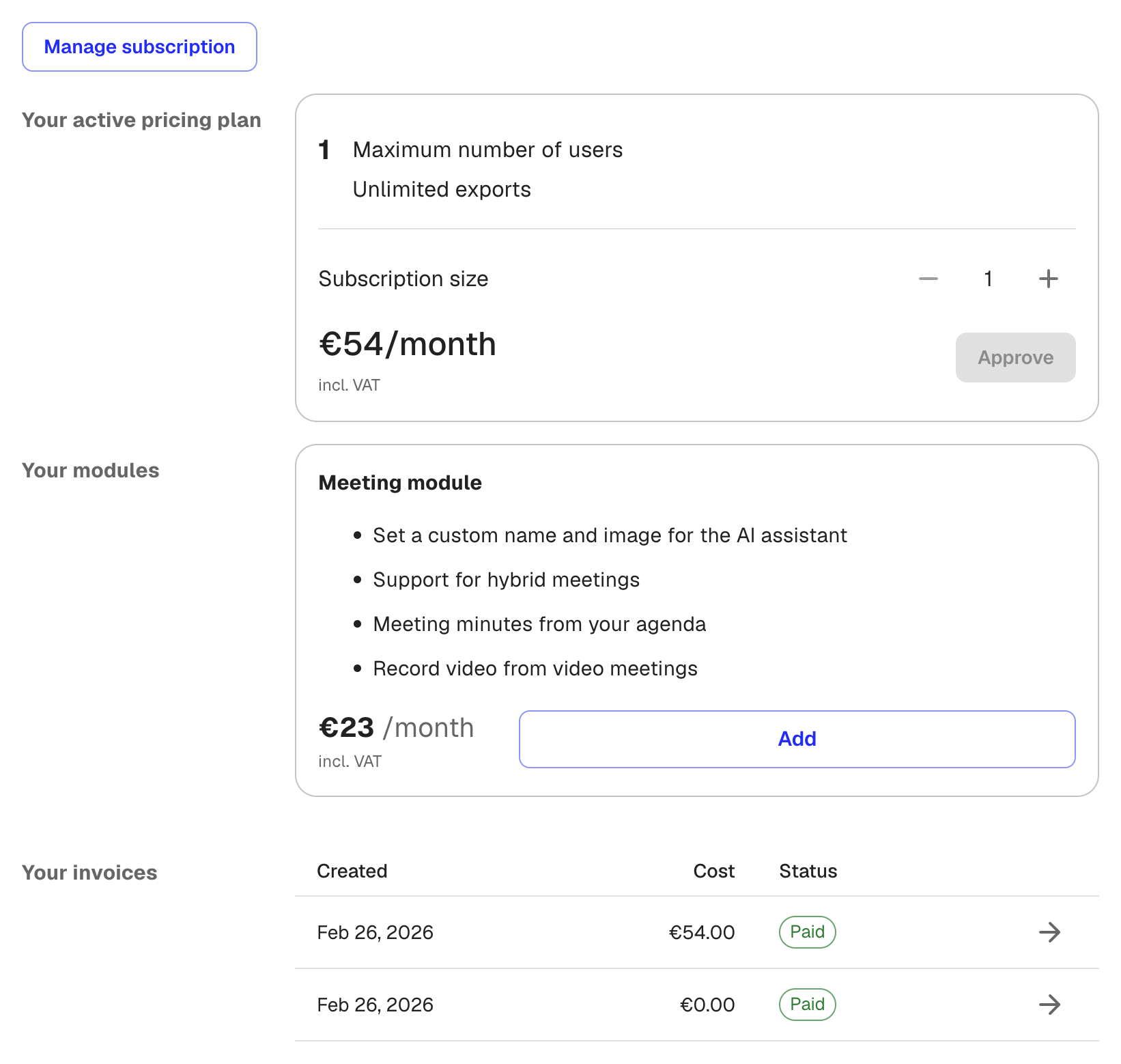
Each row in the Your invoices table includes:
- Created: The date the invoice was issued
- Cost: The amount charged (hover to see the currency)
- Status: Whether the invoice is Paid, Open, or Draft
- Arrow icon: Click to open the full invoice, where you can view details or download a PDF
Full invoice history
For a complete history including older invoices, click Manage subscription at the top of the billing page. This opens a portal in a new tab where you can browse all past invoices and update your payment method.
Was this article helpful?
Your feedback helps us improve our documentation.
Suggested Articles

Need more help?
Our support team is here to help you.