Uploading files
Upload audio, video, or documents for transcription and analysis.
How to upload a file
- At the bottom of the sidebar, click Upload new
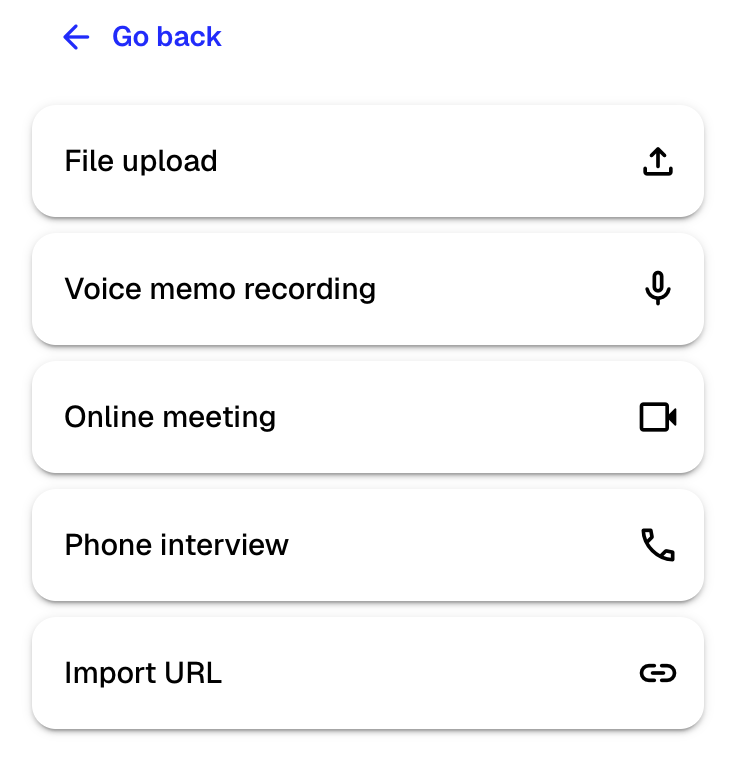
- Select File upload from the menu
- Drag and drop files into the upload area, or click it to browse your computer
- At the bottom of the dialog, select which folder to save the file in
- Click Upload
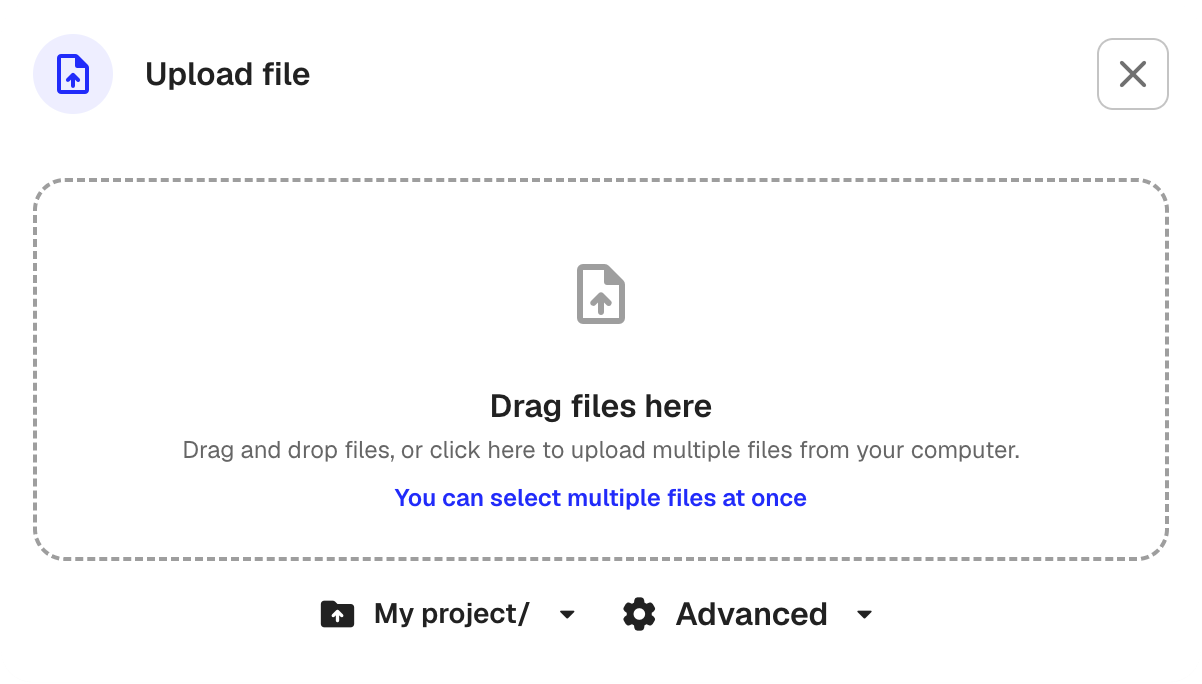
You can upload multiple files at the same time.
Supported file types
- Audio: mp3, wav, m4a, aac, ogg, opus, aiff, wma
- Video: mp4, webm, avi, mkv, mov
- Documents: PDF, Word (.doc, .docx), Excel (.xls, .xlsx), PowerPoint (.ppt, .pptx), plain text, CSV, RTF
The maximum file size is 10 GB.
Advanced settings
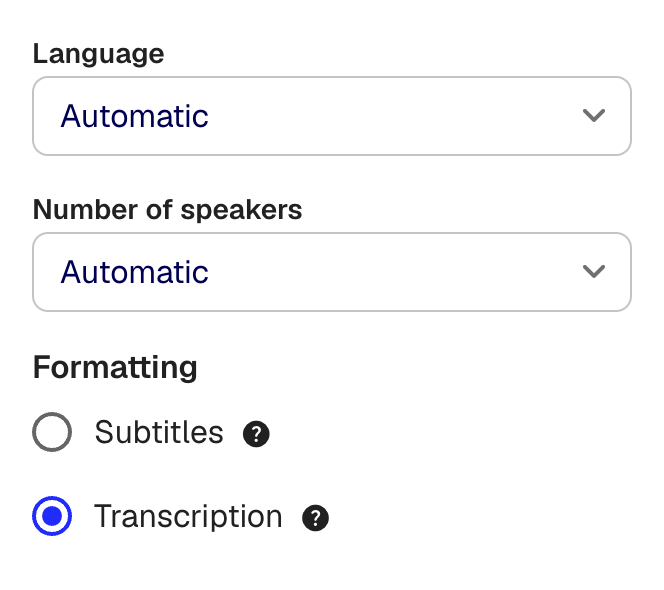
Optional: To change transcription settings, click Advanced at the bottom of the upload dialog.
- Language: Set the spoken language, or leave on Automatic to let Klang detect it
- Number of speakers: Set the expected number of speakers, or leave on Automatic
- Formatting: Choose between Transcription (full transcript with speaker labels) or Subtitling (timed subtitle format)
What happens after upload
Audio and video files are processed automatically. Klang converts the file, transcribes the speech with speaker identification, applies spell checking, and extracts key points. Documents such as PDFs and Word files are analyzed for key points and made searchable.
You receive a notification when processing is complete. The file then appears in your selected folder, ready to use in analyses.
Other ways to add content
- Voice memo recording: Record audio directly in the browser
- Online meeting: Send a meeting bot to record Google Meet, Zoom, or Teams meetings
- Phone interview: Record a phone call
- Import URL: Import a YouTube video or web page for transcription
Was this article helpful?
Your feedback helps us improve our documentation.
Suggested Articles
Need more help?
Our support team is here to help you.