Managing API keys
Create and revoke personal keys for the Klang API.
API keys let you call the Klang API from your own scripts or services. Each key is personal: it acts on your behalf and can only reach content you have access to.
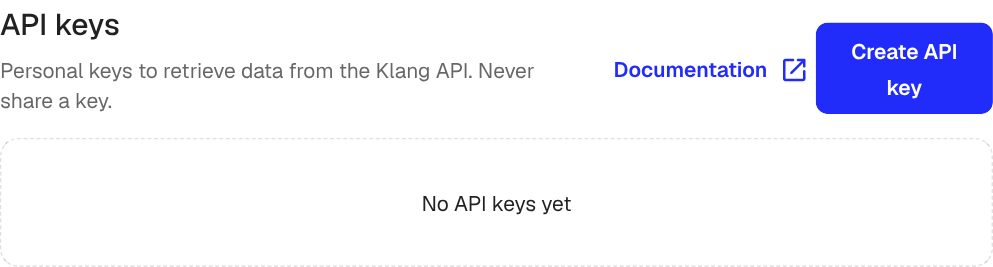
Create an API key
- Open Settings → Developers → API
- Click Create API key
- Enter a Name that reminds you where the key is used (for example, “Production CRM”)
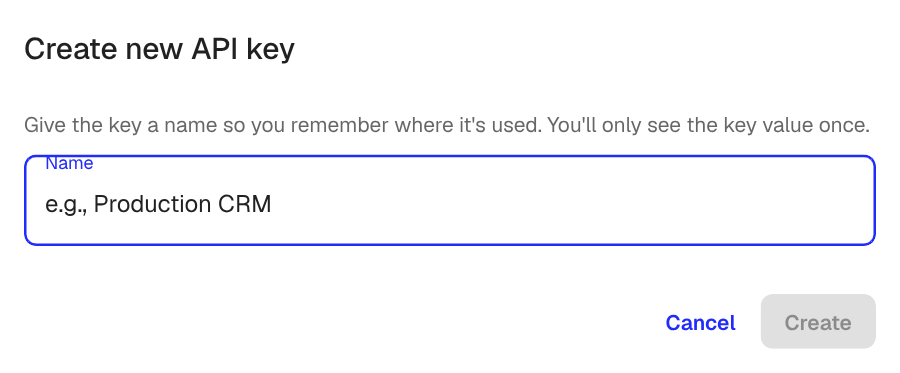
- Click Create
Klang shows the new key value once.
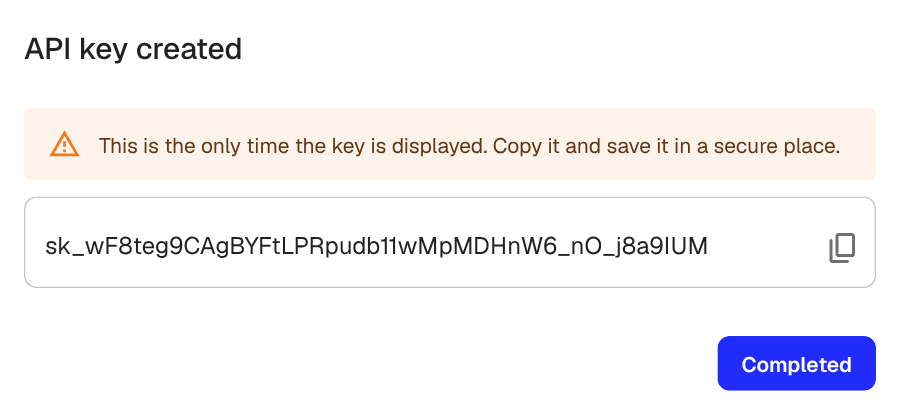
Copy the key now and store it in a secure place such as a password manager or your CI’s secret store. You cannot view the full key again after closing this dialog. If you lose it, revoke the key and create a new one.
Use a key
Send the key as a bearer token in the Authorization header:
curl https://api.klang.ai/v1/identity/me \
  -H "Authorization: Bearer sk_..."
For the full reference, including all endpoints and request shapes, see the API documentation.
Manage your keys
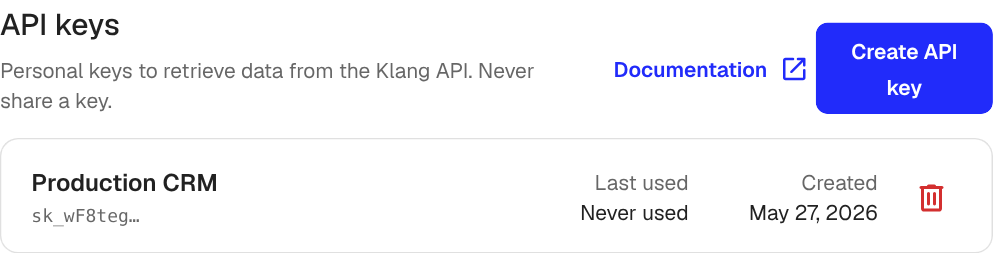
Each row shows the key’s name, a short prefix (the rest stays hidden), when it was last used, and when it was created. Last used is useful for spotting keys that no longer need to exist.
To revoke a key, click the trash icon on its row. Calls made with that key stop working immediately. You cannot undo this.
Personal vs workspace
API keys inherit your access. If you can see a meeting or folder in Klang, your key can read it through the API. If you leave the workspace or your access is removed, your keys stop working as well.
Was this article helpful?
Your feedback helps us improve our documentation.
Suggested Articles
Need more help?
Our support team is here to help you.